
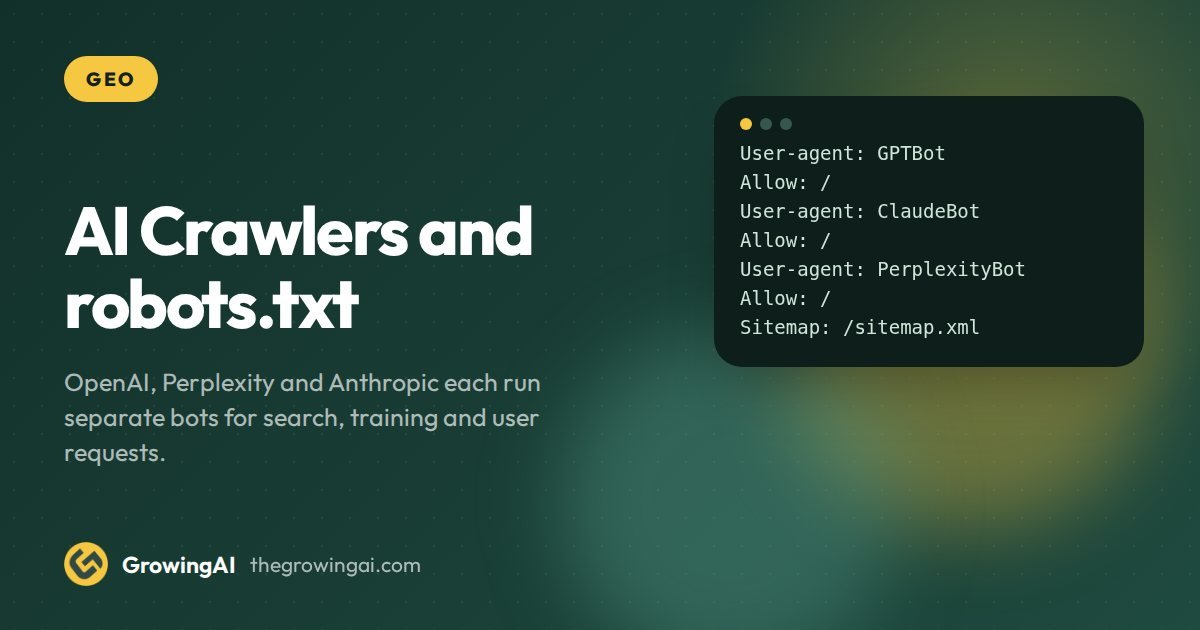
- Each major AI company runs separate bots for search, training and user requests. Treat them as separate decisions, not one block or allow switch.
- If you want to be found in ChatGPT, Perplexity and Claude answers, allow the search bots. Training bots are a business choice you can make independently.
- robots.txt is a request, not a lock. Test your file, check server logs and use real access controls for anything private.
The short answer
If you want AI search tools to find and cite your business, allow their search crawlers in robots.txt. Decide separately whether to allow the crawlers that collect training data. Do not block everything with one rule, because that also removes you from the answers your buyers read.
Many sites blocked AI bots in a hurry during 2023 and 2024 and never looked again. Some of those blocks now hide them from search products that did not exist then. This guide lists each bot, what it does, and a sensible default. It also shows how to test the result.
If you want to skip the typing, our free AI crawler robots.txt generator builds the file from your choices.
Why one block rule is the wrong tool
The same company often runs several crawlers with different jobs. One fetches pages to build a search index. Another gathers content for model training. A third fetches a page live because a user asked a question about it. Blocking the wrong one has a different consequence in each case.
- Block a search bot and you may stop appearing as a cited source in that product.
- Block a training bot and you opt out of future model training, but your pages can still be cited by the search bot.
- Block a user action bot and the assistant may be unable to open your page when a person pastes your link.
The bots that matter, by company
These are the documented user agents at the time of writing. Companies add and rename bots, so check each vendor's documentation before you publish a long list.
| Company | Bot | What it does | Suggested default |
|---|---|---|---|
 OpenAI OpenAI | OAI-SearchBot | Finds and links pages in ChatGPT search results | Allow |
| OpenAI | GPTBot | Collects content that may be used to train models | Your choice |
| OpenAI | ChatGPT-User | Fetches a page when a user or custom GPT asks it to | Allow |
 Perplexity Perplexity | PerplexityBot | Indexes pages for Perplexity search results | Allow |
| Perplexity | Perplexity-User | Fetches a page when a user asks about it | Allow |
| Anthropic | Claude-SearchBot | Improves search result quality in Claude | Allow |
| Anthropic | ClaudeBot | Collects public content that may be used for training | Your choice |
| Anthropic | Claude-User | Fetches a page when a Claude user asks for it | Allow |
 Google Google | Googlebot | Crawls for Search, including AI Overviews and AI Mode | Allow |
| Google | Google-Extended | A token that controls some Gemini uses, not Search | Your choice |
Three clarifications are worth making. OpenAI describes OAI-SearchBot as the crawler for search and GPTBot as the crawler for training, and says a site can allow one and block the other. Perplexity says PerplexityBot is used to surface and link sites in search results, not to train its models. Anthropic documents ClaudeBot, Claude-User and Claude-SearchBot as three separate agents.
Also note that Googlebot is the crawler behind AI Overviews and AI Mode, because they run on Google Search. There is no separate Google AI search bot to allow. Our guide to ranking in Google AI Overviews and AI Mode covers that side.
Search bots
Allow
- OAI-SearchBot
- PerplexityBot
- Claude-SearchBot
User action bots
Allow
- ChatGPT-User
- Perplexity-User
- Claude-User
Training bots
Your choice
- GPTBot
- ClaudeBot
- Google-Extended
Step by step: set up robots.txt for AI crawlers
Step 1. Decide your position on training
This is a business decision, not a technical one. Publishers with paid content often block training bots. Service businesses that want maximum exposure often allow them. There is no right answer for everyone, so write down yours and the reason.
Step 2. Always allow the search and user bots you want to be found by
If a buyer asks ChatGPT, Perplexity or Claude about your category, the search bots need to read your pages. Allowing them is what makes a citation possible. It does not guarantee one.
Step 3. Write the rules
Each group starts with a User-agent line, followed by Allow or Disallow lines. An empty Disallow line means everything is allowed for that agent. Here is a sample that allows search and user bots and blocks the two training bots.
User-agent: OAI-SearchBot
Allow: /

User-agent: ChatGPT-User
Allow: /

User-agent: PerplexityBot
Allow: /

User-agent: Claude-SearchBot
Allow: /

User-agent: GPTBot
Disallow: /

User-agent: ClaudeBot
Disallow: /

Sitemap: https://example.com/sitemap.xml
Change the domain in the Sitemap line and adjust the training bots to match your decision in step 1. Keep your existing rules for Googlebot and for admin or checkout paths.
Step 4. Upload and check the file
The file must live at the root of each hostname, for example example.com/robots.txt. A subdomain needs its own file. Open the URL in a browser and confirm it loads as plain text with a 200 status.
Step 5. Check your CDN and firewall
This is where most real problems hide. Many CDN and security tools block unfamiliar bots by default, whatever your robots.txt says. If the bot never reaches your server, your Allow rule does nothing. Check the bot management or firewall settings for AI crawler categories.
Step 6. Confirm in server logs
After a few days, search your access logs for the user agent names. You should see requests from the search bots on public pages. User agent strings can be faked, so for anything important verify against the IP ranges that vendors publish.
- CriticalAI crawlers blocked in robots.txt
- WarningMissing canonical on 14 pages
- WarningSchema does not match visible text
- WarningSlow LCP on mobile templates
- NoticeSitemap lists redirected URLs
The audit view above is sample data. It shows the kind of finding a crawler check surfaces, such as AI crawlers blocked in robots.txt. It is not a client result.
What robots.txt cannot do
robots.txt is a convention. Well behaved crawlers follow it, and the major AI companies say theirs do. It does not stop a bot that ignores it, and it is not security. Never rely on it to protect private data.
There is one more nuance. OpenAI and Perplexity both note that fetches triggered directly by a user, through ChatGPT-User or Perplexity-User, may not follow robots.txt in the same way, because the request is made on behalf of a person. Check the current documentation for each. If a page must stay private, put it behind a login.
Finally, blocking a bot now does not remove content that was already collected. It only affects future crawling. Changes can also take time to be picked up. OpenAI says it can take around 24 hours for a robots.txt update to be reflected for its search bot.
It can
- Ask well behaved crawlers to stay out
- Set rules per bot and per path
- Affect future crawling
It cannot
- Stop a bot that ignores it
- Protect private data
- Remove content already collected
- Override a firewall block
Allow, block or limit: how to think about it
Most sites have three kinds of content. Public marketing pages, which you want everyone to read. Gated or paid material, which you may want to protect. And system paths such as carts, search results and admin screens, which no crawler needs. Write your rules by content type, not by bot fame.
You can also allow a bot on part of the site only. For example, allow a search bot on your guides and services but disallow a folder of members only material. Rules are matched by path, so keep them simple and test each one.
Common mistakes
- A blanket block. User-agent star with Disallow slash blocks every crawler, including the ones that bring you visibility.
- Typos in bot names. The user agent token must match the vendor's name. A wrong spelling is silently ignored.
- Forgetting subdomains. Your blog or app subdomain needs its own robots.txt.
- Blocking in robots.txt but allowing in the firewall, or the reverse. Both layers must agree.
- Never rechecking. New bots appear. Review the file every quarter.
A sensible default for most business sites
For a service business that wants to be found, the usual default is simple. Allow all the search and user bots, allow Googlebot, and decide on training bots separately. Keep private paths blocked for everyone. Add your sitemap. Review quarterly.
To see whether blocked crawlers are costing you visibility today, request a free LLM visibility audit. For the wider technical picture, read about our technical SEO work. If you also want an optional summary file for AI tools, see our post on whether you need an llms.txt file.
How to confirm a crawler is genuine before you trust a rule
A user agent name is only a label in a request header. Anyone can send a request that says it is OAI-SearchBot. So the first habit to build is verification. If you are about to write a firewall exception, or you are reading logs to decide whether a bot visited, check the source address against the ranges the vendor publishes.
As of October 2026, the vendor documentation we read lists these machine readable sources. OpenAI publishes a separate JSON address list on openai.com for its search crawler, for GPTBot and for ChatGPT-User. Perplexity publishes one JSON list for PerplexityBot and one for Perplexity-User on perplexity.com. Anthropic points to a list at claude.com/crawling/bots.json and says in its help centre that blocking by IP address alone may not work persistently, so it recommends using robots.txt for opt outs.
| Vendor | What to check | Where the vendor documents it |
|---|---|---|
| OpenAI | User agent name plus source address against the published JSON list | OpenAI crawler documentation (the bots page) |
| Perplexity | User agent name plus source address against both JSON lists | Perplexity crawler documentation |
| Anthropic | User agent name, source address against the bots JSON list, robots.txt for opt outs | Anthropic help centre article on web crawling |
| Google | Googlebot behaves as documented in Search Central; use the verification method Google describes | Google Search Central crawler overview |
The other AI related crawlers on your logs
The earlier table covers the three companies most buyers ask about. Your server logs will show more names. Here is what we could confirm from official documentation, and what we left out because we could not confirm it.
Applebot and Applebot-Extended
Apple updated its About Applebot documentation on 8 June 2026. It now says data collected by Applebot may be used to help train Apple foundation models, and may supply real time context for AI generated answers in Siri and Search. Applebot-Extended does not crawl pages. It governs how data Applebot has already collected can be used, and disallowing it opts a site out of model training without affecting search. Apple also says a nosnippet directive stops a page being used as context for AI generated answers, and that Applebot does not follow a crawl delay.
The practical reading: disallowing Applebot-Extended is the training opt out. Disallowing Applebot itself removes you from Apple search surfaces entirely, which is rarely what a business wants.
Google-Extended and the Google crawlers
Google documents Google-Extended as a standalone product token. It lets a publisher manage whether content Google crawls can be used to train future Gemini models and for grounding in the Gemini app and the Vertex AI API. Google states it does not affect inclusion in Search or act as a ranking signal, and that it has no separate user agent string. Crawling still happens under existing Google user agents, and the token only controls permission.
Google also lists a separate Vertex agent crawler for site owners who build Vertex AI agents, and says it does not affect Google Search. Most business sites will never see it.
The OpenAI ads crawler
OpenAI documents a crawler named OAI AdsBot as the crawler that validates the safety of pages submitted as ads on ChatGPT. It visits only pages submitted as ads. If you never advertise there, you will not see it, and it is not part of the search or training decision.
robots.txt syntax details that cause real mistakes
The Robots Exclusion Protocol is now a published internet standard, RFC 9309, which is the reference for how a well behaved crawler reads your file. Most AI crawler problems we see are not policy problems. They are syntax problems.
- Group structure. A group starts with one or more User-agent lines, followed by the rules that apply to them. A blank line ends the group. A rule placed under the wrong agent applies to the wrong bot.
- Most specific match wins. When two rules match a path, the crawler follows the more specific one, meaning the longer path pattern. So Disallow: /members/ with Allow: /members/public/ opens one folder inside a closed one.
- Paths are case sensitive. /Guides/ and /guides/ are different paths on many servers.
- Agent names are matched loosely, paths are not. Write the vendor name exactly as documented anyway, so there is no doubt.
- One file per hostname and protocol. The file at example.com does not cover blog.example.com.
- The file must load. A robots.txt that returns an error page, a login redirect or a very large body can be handled in ways you did not plan. Serve it as plain text with a 200 status.
- Crawl delay is not universal. Anthropic says it supports a crawl delay for its bots and shows ClaudeBot in its example. Apple says Applebot does not follow one. Do not assume every bot treats it the same way.
Here is a more complete example for a business site that wants to be found, has a members folder and a cart, and has made a deliberate choice about training. Treat the training lines as a template for your own decision, not a recommendation.
User-agent: OAI-SearchBot
User-agent: ChatGPT-User
User-agent: PerplexityBot
User-agent: Perplexity-User
User-agent: Claude-SearchBot
User-agent: Claude-User
Allow: /
Disallow: /cart/
Disallow: /members/

User-agent: GPTBot
User-agent: ClaudeBot
User-agent: Google-Extended
User-agent: Applebot-Extended
Disallow: /

User-agent: *
Disallow: /cart/
Disallow: /members/

Sitemap: https://example.com/sitemap.xml
Notice that several User-agent lines share one set of rules. That is valid and keeps the file short. Notice also that the generic group at the end does not mention the AI bots. A crawler that has its own named group follows that group, not the star group, so each named bot needs its own cart and members rules, as shown above.
Why your firewall and CDN decide more than robots.txt
Your robots.txt is a polite request. Your firewall is a gate. If a bot is stopped at the gate, it never reads the request. We often meet this on audits: the file says Allow, the security layer says no, and the site is invisible to the very crawler it wants.
Perplexity gives concrete guidance here. It suggests allowing its two bots through a web application firewall using both the user agent and the published address ranges, with the allow rule placed above any blocking rules. It describes a custom rule in Cloudflare and IP sets plus string matches in AWS WAF. It also says to refresh the rules regularly and that changes can take up to 24 hours. OpenAI says a robots.txt update can take around 24 hours to be reflected for its search crawler. Plan a wait of a day before you judge any change.
- List every layer that can answer a request before your server does: CDN, web application firewall, bot management, hosting security plugin, rate limiter.
- For each layer, find the setting that classifies automated traffic and look for categories that include AI crawlers.
- Decide the policy first. Then make each layer match it, using user agent plus address checks for the bots you allow.
- Test from outside your network and read the logs to see the real response code each bot receives.
- Write down who owns each layer, so the next change does not undo the policy.
Decision guide: which bots to allow by type of business
The right policy depends on what you sell and what you protect. Use the table as a starting point for a conversation with whoever owns your content, not as a rule.
| Business type | Search and user bots | Training bots | Reasoning |
|---|---|---|---|
| Local service business, clinic or agency | Allow | Usually allow, or decide once and record it | You want to be named. The content is marketing by design. |
| Online store | Allow on product and category pages; block cart and account paths | Your choice | Product facts help buyers; checkout paths help no one. |
| Publisher with paid content | Allow on free pages; protect paid pages with a login | Often block | The content is the product. Robots rules alone do not protect it. |
| Software company with docs | Allow | Often allow | Docs are cited constantly in developer questions. |
| Regulated or private information | Allow only public pages | Block | Keep private data behind real access control. |
How open to be, by business
| Search and user bots | Training bots | |
|---|---|---|
| Local service or clinic | ||
| Online store | ||
| Publisher with paid content | ||
| Software company with docs | ||
| Regulated or private data |
Example, hypothetical: a Dubai clinic that blocked everything in 2024
Imagine a clinic in Dubai whose web team added a blanket block for AI bots after reading a headline. Two years later the owner asks why ChatGPT never names the clinic when someone asks for a paediatric dentist in Jumeirah. The audit steps would be: read robots.txt and find the blanket rule; separate the search and user bots from the training bots; open the search bots on public service pages; keep the patient portal closed; check the CDN for a second block; wait a day; then run the same prompt set again and compare.
What this example does not show is a result. Allowing a crawler makes a citation possible. It does not make one likely. Content, entity clarity and third party mentions still decide the outcome. The example only illustrates the order of work.
A log check you can run this week
You do not need special software. Export seven days of access logs and filter by the bot names in the table above. For each name, count requests, list the top paths and note the response codes. A healthy search bot shows mostly 200 responses on public pages. A wall of 403 or 429 responses means a firewall or rate limit is acting on it. Zero requests from a bot you allowed, after a week, points to a block upstream of your server or to a site the bot has not yet discovered.
- Count requests per bot name and compare with the previous week.
- List the five most requested paths per bot. Are they your best pages, or only your robots.txt and sitemap?
- Flag any 403, 429 or 5xx responses and trace them to a rule.
- Verify a sample of source addresses against the vendor lists before you trust the names.
- Keep the results in a dated sheet so the next review has a baseline.
A seven day log review
- ✓Count requests per bot name
- ✓List the top five paths per bot
- ✓Flag every 403, 429 and 5xx
- ✓Verify sample source addresses
- ✓Save results in a dated sheet
- Trust the user agent name alone
How this fits the GEO Pilot
Crawler access is the first technical check in our GEO Pilot. In week 1 we run an AI crawler access check next to the baseline across five AI engines. In week 2 we implement the robots rules and related technical fixes, and you approve each change. You can run the same check yourself first with the free AI crawler access checker, and for the wider context read our guide to how AI search engines choose sources. We never guarantee that access leads to citations.