
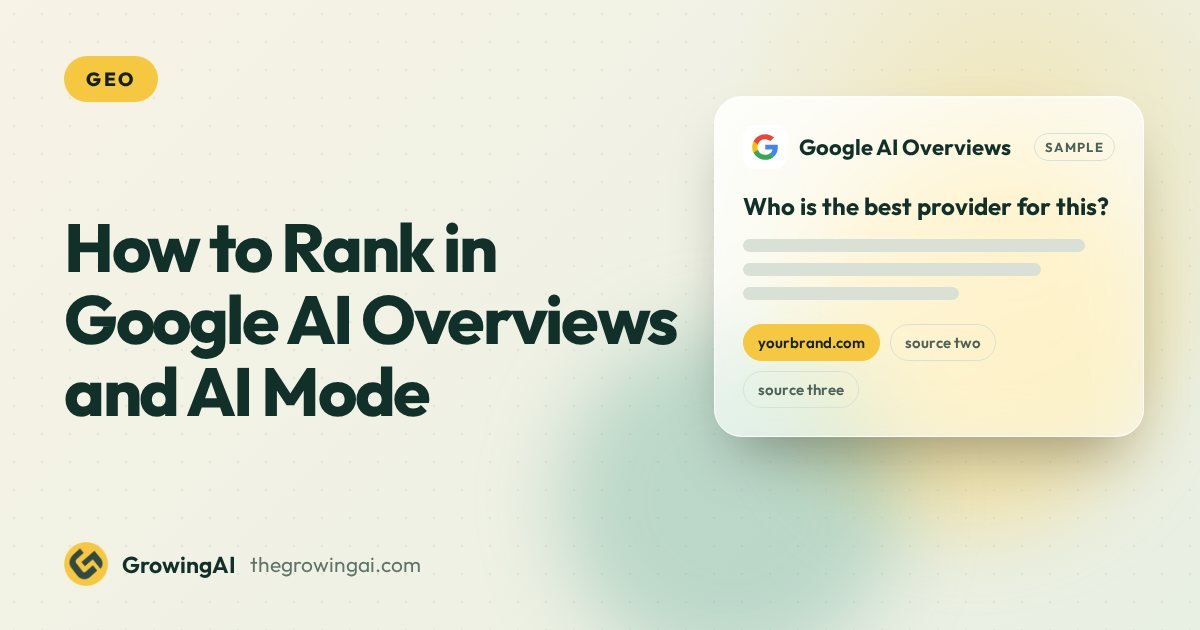
- Google says AI Overviews and AI Mode have no extra technical requirements and no special schema. Your page must be indexed and eligible to show a snippet.
- Both features break a question into several related searches, so pages that answer the sub questions clearly are the ones that get linked.
- Nobody can guarantee a place in an AI Overview. You can remove blockers, answer better than the pages around you, and measure what happens.
The short answer
To rank in Google AI Overviews and AI Mode, you do the same things that make a page rank in normal Google Search. Make the page crawlable, indexed and eligible for a snippet. Then answer the question better, and more clearly, than the pages already shown.
That sounds almost too simple, so here is the source. Google's own guidance for site owners says there are no additional requirements to appear in AI Overviews or AI Mode, and no special markup is needed. The same SEO fundamentals apply. Anyone selling a secret AI Overview switch is guessing.
What changes is the shape of the competition. These features answer a question in one block and then link out to a handful of supporting pages. Your job is to be one of those pages. This guide shows how, in seven steps, and where the limits are.
What Google actually requires
Google documents two conditions for a page to be used as a supporting link in AI features. The page has to be indexed, and it has to be eligible to appear in Search with a snippet. That is the whole entry test.
- Crawlable. Googlebot can fetch the page. It is not blocked in robots.txt and does not need a login.
- Indexed. The page is in Google's index and carries no noindex directive.
- Snippet eligible. You have not used nosnippet or a tiny max snippet value that removes the text Google would quote.
- Useful and original. The page helps a person, which is the same bar Google sets for every result.
Two details trip people up. First, the snippet controls you set for Search also apply here, so a blanket nosnippet rule takes you out of AI features along with normal snippets. Second, the Google-Extended robots.txt token does not control Search. It governs some Gemini uses, not AI Overviews. Blocking it does not remove you from Google Search features.
- ✓Googlebot can fetch the page
- ✓The page is indexed with no noindex
- ✓Snippet eligible, no blanket nosnippet
- ✓Useful and original for a person
- Special AI Overview schema
- An llms.txt file
How AI Overviews and AI Mode pick pages
Google has said both features can use a technique called query fan out. The system takes the question, splits it into related sub searches, runs them, and builds one answer from what comes back. The links shown are pages that supported parts of that answer.
This matters because it changes what you write for. A page that only targets the headline keyword can miss the sub questions the system actually asks. A page that covers the follow up questions, in plain sections, gives the system more to use. Here is an example of a fan out for one prompt.
Step by step: how to earn a place
Step 1. Confirm the page can be indexed and quoted
Open Search Console, inspect the URL and check that it is indexed. Then check the page source for noindex and nosnippet. Check robots.txt for rules that block Googlebot. This takes ten minutes and rules out the most common reason a good page never appears.
If you run a JavaScript heavy site, view the rendered HTML as well. If your answer text only appears after a script runs, confirm Google renders it. Plain server rendered text is the safest option for the paragraphs you want quoted.
Step 2. Pick questions where an AI answer makes sense
Not every search triggers an AI Overview. They appear most often on informational and comparison queries, and far less on navigational or very local ones. Start with the questions your buyers ask before they contact anyone: what is it, how much does it cost, how does it work, is it worth it.
List 15 to 30 of those questions. Search each one yourself and note whether an AI Overview appears, which pages it links to, and what those pages do well. That list is your content plan.
Step 3. Put the direct answer first
Under each heading, answer the question in the first one or two sentences. Then add the detail. A system looking for a passage to support a claim can lift a clean two sentence answer far more easily than a story that builds to a point on paragraph six.
Keep the answer specific. A real range, a real time frame or a real condition is more useful than a general statement. If the honest answer is "it depends", say what it depends on.
Step 4. Cover the sub questions on the same page
Use the fan out idea. For each main question, write down the follow ups a careful buyer would ask next. Cost, time, risks, alternatives, who it is for, who it is not for. Give each its own heading so the page reads as a complete answer, not a teaser.
Do not pad. One clear paragraph per sub question beats five vague ones. If a sub question deserves a full page, write that page and link to it.
Step 5. Make the facts easy to trust
Show who wrote the page, when it was last updated, and where the numbers come from. Use tables for comparisons so the values are unambiguous. State your limits. Pages that read as honest and checkable are better candidates for any system that has to decide what to repeat.
Keep your business details consistent everywhere they appear: name, services, location, contact. Mismatches make a brand harder to understand and easier to skip.
Step 6. Build the surrounding signals
Internal links from related pages help Google understand where the page sits. Mentions on other credible sites help it understand who you are. This is ordinary SEO and digital PR, and it is slow. Our generative engine optimization service covers this alongside the on page work.
Step 7. Add structured data only where it is true
Structured data does not unlock AI Overviews. Google says no special schema is needed. Use it because it helps search engines read your page, and only when it matches what a visitor can see. Our post on schema markup for AI search explains which types are worth the effort.
- 1Confirm it can be quotedIndexed, crawlable, no snippet limits, text in HTML.
- 2Pick the questionsList 15 to 30 buyer questions and check which show an AI Overview.
- 3Put the answer firstOne or two plain sentences under each heading.
- 4Cover the sub questionsCost, time, risks, alternatives, who it is for.
- 5Make facts easy to trustAuthor, update date, sources and consistent business details.
- 6Add true signalsInternal links, credible mentions, structured data only where it is true.
Myths versus what works
| Claim you will hear | What the evidence supports | What to do |
|---|---|---|
| You need special AI Overview schema | Google says no special markup is required | Use normal structured data only where it matches the page |
| You need an llms.txt file | No confirmed use by Google for Search features | Optional extra, not a fix. See our llms.txt post |
| Block Google-Extended to leave AI Overviews | That token does not control Search features | Use noindex or snippet controls if you must opt out |
| Longer pages win | No length rule exists | Be as long as the question needs and no longer |
| Rewrite everything for AI | The same fundamentals still apply | Fix blockers first, then improve answers page by page |
| You can guarantee a citation | Nobody controls what Google chooses to show | Measure inclusion and treat it as a result, not a promise |
What you will hear
- Special AI Overview schema is needed
- Block Google-Extended to leave AI Overviews
- Longer pages win
- A citation can be promised
What the evidence supports
- No special markup is required
- That token does not control Search features
- No length rule exists
- Nobody controls what Google shows
How to measure it
Search Console counts clicks and impressions from AI features inside its normal web search totals. There is no separate AI Overviews filter, so you cannot split them out directly. That is a real limit, and anyone showing you a perfect AI Overview report from Search Console alone is stretching the data.
The practical method is a fixed prompt set. Choose 20 to 50 real buyer questions. Check each one on the same day each month, in the same location and language. Record whether an AI Overview appears, whether your page is linked, and which competitors are. A dashboard like the one below does this at scale.
| Prompt | Engine | Visibility | Status |
|---|---|---|---|
| best geo agency for small business |  ChatGPT ChatGPT | 82% | Cited |
| how much does geo cost per month |  Google AI Mode Google AI Mode | 64% | Mentioned |
| generative engine optimization services |  Perplexity Perplexity | 47% | Mentioned |
| llms.txt do i need it | ChatGPT | 31% | Not shown |
| ai visibility audit checklist |  Gemini Gemini | 58% | Cited |
| geo vs aeo vs seo | Google AI Overviews | 22% | Not shown |
The dashboard above is sample data to show the layout. It is not a client result. Results move between checks because AI answers vary, so track trends over months, not single days.
Pair the prompt tracking with Search Console query data and with your own enquiry source questions. Ask new leads how they found you. A lead who says "I asked an AI" is worth more than any impression count.
Honest limits
- AI answers change between runs, between users and between locations. A single screenshot proves very little.
- Being linked in an AI Overview does not always bring many clicks. Some users read the answer and stop.
- Google changes these features often. Re check the official documentation before you rely on any detail here.
- A weak page does not become strong because you added headings. The substance has to be there.
AI Overviews versus AI Mode: how to treat each surface
The two features share entry rules but behave differently, so plan and measure them as separate surfaces. As of October 2026, this is how we describe them, based on Google's public descriptions. Check Google Search Central before relying on a detail, because Google updates both features often.
| Point | AI Overviews | AI Mode |
|---|---|---|
| Where it appears | On the normal results page, above or among results, for some queries | In a dedicated search experience the user chooses to open |
| Typical question | A single informational or comparison question | Longer, multi part and follow up questions |
| How the user continues | Clicks a link or refines the search | Asks another question in the same conversation |
| What to optimise for | A clear, quotable answer that supports a part of the summary | Complete coverage of sub questions, so your page can support several parts of one session |
| Measurement | Check a fixed query set for presence and links | Run the same set in AI Mode and record separately |
Because follow up questions are part of AI Mode, pages that stop at the headline answer give the system little to draw on for the second and third turn. Pages that carry the next obvious question on the same page, under its own heading, do better by design.
Which query types are worth targeting first?
Choose queries by the stage of the buyer's path and by your ability to give a better answer than what is shown. These types usually offer the best fit for a service business.
- Definition and explanation queries. What is a managed IT contract, what does a tax agent do. High volume, but crowded.
- Cost and time queries. How much does it cost, how long does it take. Many pages give vague answers, so a clear range with dates stands out.
- Comparison queries. A against B, or which option for a given size of company. Tables help here.
- Process queries. How to do it, step by step. Numbered lists suit them.
- Decision queries. Is it worth it, should I do it myself. Honest conditions beat sales language.
Navigational queries, where the user wants a specific site, and many very local queries trigger AI features less often. Do not build your plan around them.
A page level checklist you can run today
Use this list on each page you want considered. Tick every item before you spend time on anything advanced.
| Check | How to check it | Pass condition |
|---|---|---|
| Indexed | Inspect the URL in Search Console | Page is on Google and reports no exclusion |
| Snippet eligible | View source for nosnippet, max snippet and data nosnippet | No setting removes the text you want quoted |
| Crawlable | Read robots.txt and test the URL | Googlebot is allowed and gets a 200 |
| Text in HTML | Search the rendered source for your main paragraph | The paragraph is present without needing user action |
| Question heading | Read the headings aloud | Each H2 or H3 sounds like something a buyer would ask |
| Direct answer | Read the first two sentences under each heading | They answer the question on their own |
| Sub questions | List the next three questions a buyer would ask | Each has its own labelled section or a link to a page that covers it |
| Dates and sources | Look for update date, author and reference notes | Visible and accurate |
A worked example, hypothetical: a Dubai dental clinic page
Example, hypothetical: a clinic wants its page on dental implant costs to be considered for AI answers. This shows the editing method, not a result.
- Query set. The clinic lists the main question and five likely sub questions: cost range, what changes the price, how long treatment takes, who is not a good candidate, and what recovery involves.
- Current page review. The existing page leads with a story about the clinic and mentions cost only in a final paragraph with no figures.
- Rewrite. The page now opens with a two sentence answer that says what the cost depends on and gives a range with the month it was checked. Each sub question has its own heading and a short, direct answer.
- Trust details. A named dentist reviews the page, the update date is visible, and a short note says the price is an estimate until an examination.
- Technical check. The clinic confirms the page is indexed, has no snippet limits, and the text is in the HTML.
- Tracking. It records whether an AI Overview appears for the six queries and whether its page is linked, then repeats monthly.
The clinic cannot know in advance whether Google will show its page. What it gains is a page that is clearer for patients, easier for Google to understand, and measurable.
Content mistakes that keep good pages out
- Burying the answer. A long introduction before the point makes extraction harder.
- Vague claims. Words like affordable or fast give nothing to quote. A range or a time frame does.
- One page for everything. A single page that tries to cover ten topics cannot be the clear answer to any of them.
- Thin copies for each city. Near identical location pages add noise. Write distinct, useful pages or consolidate them.
- Unreviewed health, legal or financial claims. These topics need accuracy and named expertise. Weak pages here carry real risk for readers.
How to build your reporting without a dedicated AI filter
Since Search Console does not separate AI feature traffic, build a simple layered view from what you can access.
- Search Console. Track impressions, clicks and average position for your target queries, as a general health signal for the pages.
- Prompt log. Each month, check your query set and record whether an AI Overview appears, whether your page is linked, and which sites are shown.
- Landing page analytics. Watch sessions to the pages in your plan. A drop in clicks with stable impressions can mean an answer now satisfies searchers above the results.
- Lead source question. Add a field to your enquiry form that asks how the person found you, including a choice for AI tools.
Read the four together. No single source tells the full story. Our guide to AI search traffic in Google Analytics shows what can and cannot be seen, and how to measure GEO performance covers the prompt log in more depth.
Where this connects to the rest of your search work
Ranking in Google's AI features is not a separate project from the rest of your search work. It rewards the same habits: pages that load and index cleanly, answers that are clear, and facts that agree across the web. If you also want to appear in other engines, the work overlaps. See Google AI Overviews optimization for the service view, query fan out explained for the retrieval idea behind the sub question approach, and how AI search engines choose sources for a wider look.
Our GEO Pilot applies this method to up to 10 priority pages, checks crawler access, and retests your prompts, for a fixed $999 delivered inside 30 days. We make no promise of placement in any Google feature.
Where to start this week
- Pick your five most valuable service or product pages.
- Check each is indexed, snippet eligible and not blocked.
- Add a two sentence direct answer under the main heading of each.
- Add a short section for each follow up question a buyer asks.
- Record your prompt baseline, then recheck monthly.
If you would rather have this done and measured for you, start with our free LLM visibility audit. It shows where you appear today across AI search, with no obligation. For deeper work on how answer engines read your pages, see answer engine optimization.